
FSM/PEMF protocol editor
Designing an FSM sequence requires precise organization of frequencies, durations, and signal parameters while maintaining a clear view of the whole. The Homeoceutics PEMF editor brings these operations together in a single workspace: composition, timeline visualization, preview, saving, and export. It lets you move from an initial frequency pair to a structured multichannel program without losing control of the intermediate steps.
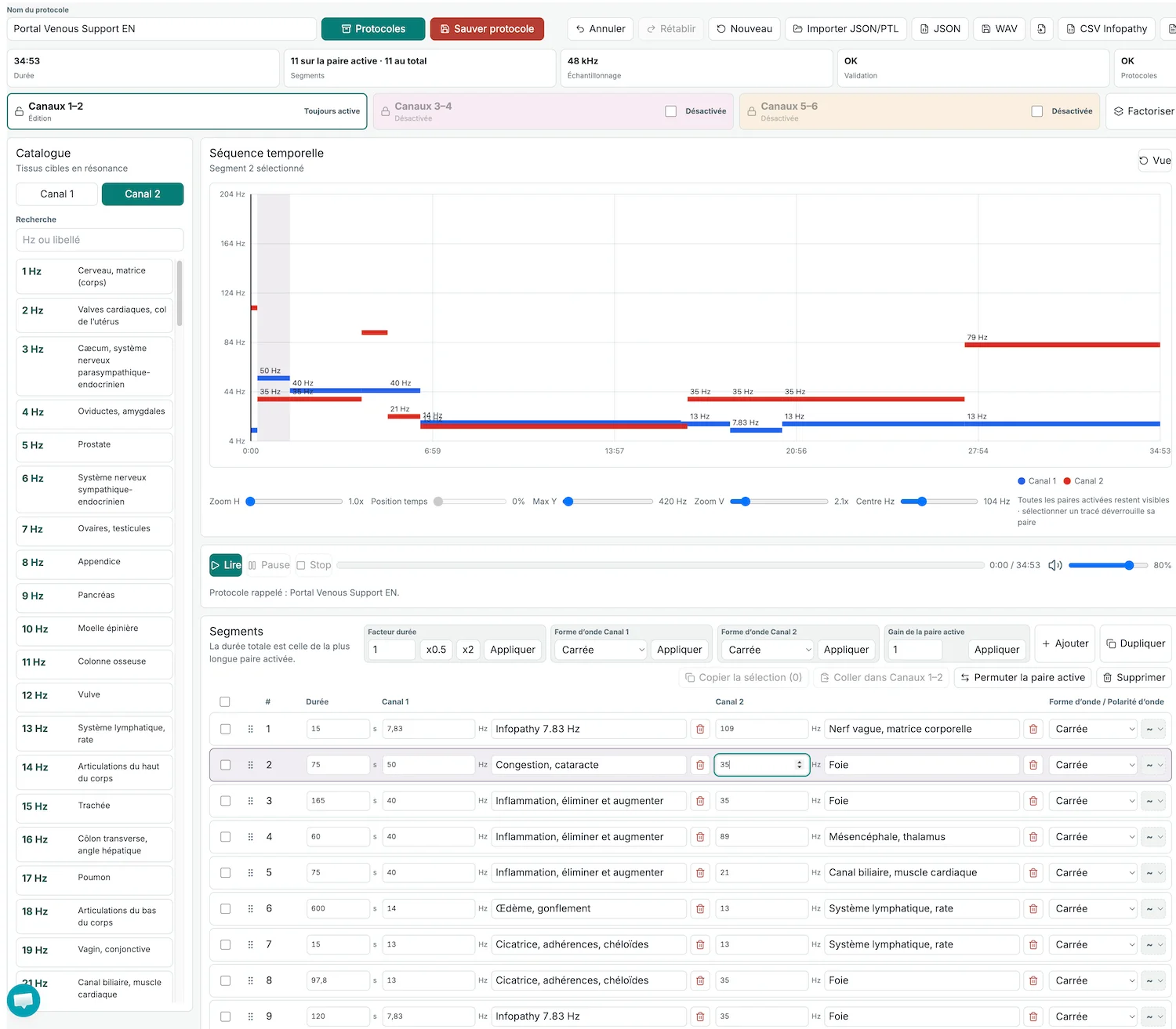
Designing an FSM sequence requires precise organization of frequencies, durations, and signal parameters while maintaining a clear view of the whole. The Homeoceutics PEMF editor brings these operations together in a single workspace: composition, timeline visualization, preview, saving, and export. It lets you move from an initial frequency pair to a structured multichannel program without losing control of the intermediate steps.
Up to six channels across three independent tracks
A program can use Channels 1–2, 3–4, and 5–6. These three pairs start at the same time, but each has its own sequence of segments and its own duration. They can therefore progress in parallel, while the total program duration remains that of the longest active track. Pair 1–2 is always available; the other two are enabled when the protocol requires them.
Only one pair is unlocked for editing at a time. The others remain visible on the timeline without the risk of accidental changes. Each channel retains its own color, making simultaneous frequencies and silent passages easier to read.
From the frequency catalog to the timeline
The bilingual FSM catalog contains 376 entries searchable by their value in hertz or by label. You can also enter a custom frequency and its meaning. For each segment, the editor provides access to duration, gain, and five waveforms: ramped square, square, sine, triangle, and sawtooth. The ramped-square waveform also provides a choice of ramp profile and polarity.
Common parameters can be edited directly in the table, while the inspector brings together the detailed settings. Segments can be added, duplicated, selected as a group, copied to another pair, deleted, or reordered by drag and drop. Bulk actions can also adjust the duration, waveform, or gain of the entire active pair.
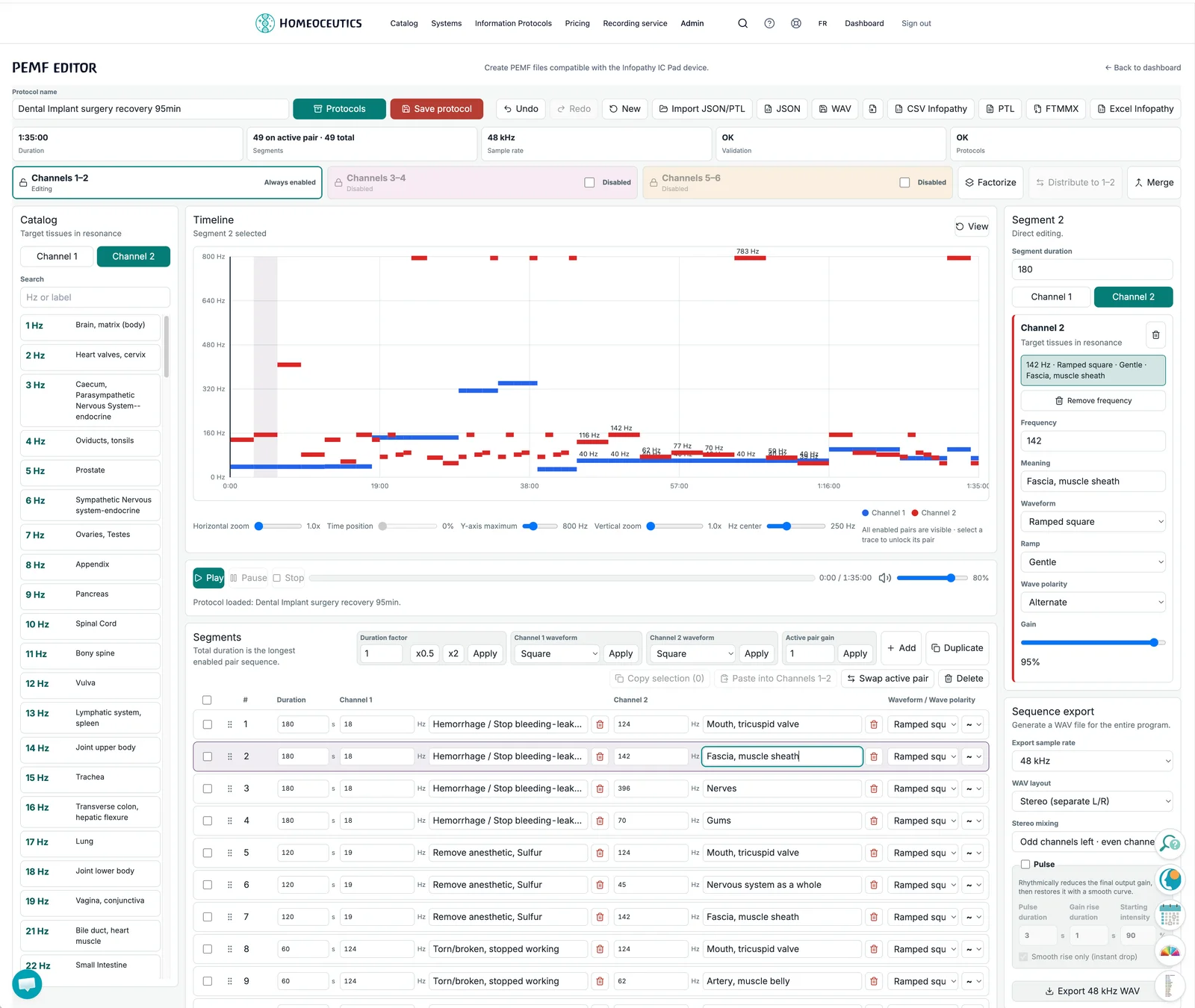
The catalog, timeline, inspector, and export settings are brought together in the same workspace.
Undo and redo without losing your place
The editor locally retains up to the 100 most recent states of the current protocol. This history covers the frequency program, its name, note, and author. Additions, deletions, pastes, reordering, pair activation, transformations, and merges form coherent steps that can be undone and then redone.
The usual shortcuts remain available: Cmd or Ctrl + Z to undo, Cmd or Ctrl + Shift + Z and Ctrl + Y to redo. Continuous input is grouped so that a single editing gesture does not produce an unnecessary succession of steps. Native undo within text fields is preserved, and the editor shortcuts are suspended whenever a modal window is open.
Visualize, preview, and transform
The timeline overlays the enabled tracks and their six possible traces. It provides horizontal and vertical zoom, movement through time, recentering, and adjustment of the scale in hertz. Web Audio preview provides play, pause, resume, stop, and volume controls, with the same sequencing and pulse as the WAV render.
Three transformations speed up complex constructions. Factorize distributes the segments from 1–2 across several tracks played simultaneously. Distribute to 1–2 then reconstructs their original order, either fully or partially. Merge combines compatible adjacent duplicates without changing the total duration. Each dialog provides a preview before confirmation.
Mixing: the program can be rendered as a stereo WAV, dual-mono stereo, or as 2, 4, or 6 discrete channels, at 48 or 44.1 kHz. JSON v3 is the portable, reimportable source format. Depending on the account permissions, the editor also supports importing and exporting Perfect Waves PTL files, as well as exporting Infopathy XLSX files and the FTMMX format for TimeWaver Frequency.
WAV files are compatible with the Infopathy Glowing Pad v3 (10% discount if you subscribe to Homeoceutics) and other coil- or solenoid-based PEMF devices that can be controlled from a mobile phone using our https://fsm.care mobile web app.
A library designed for reuse
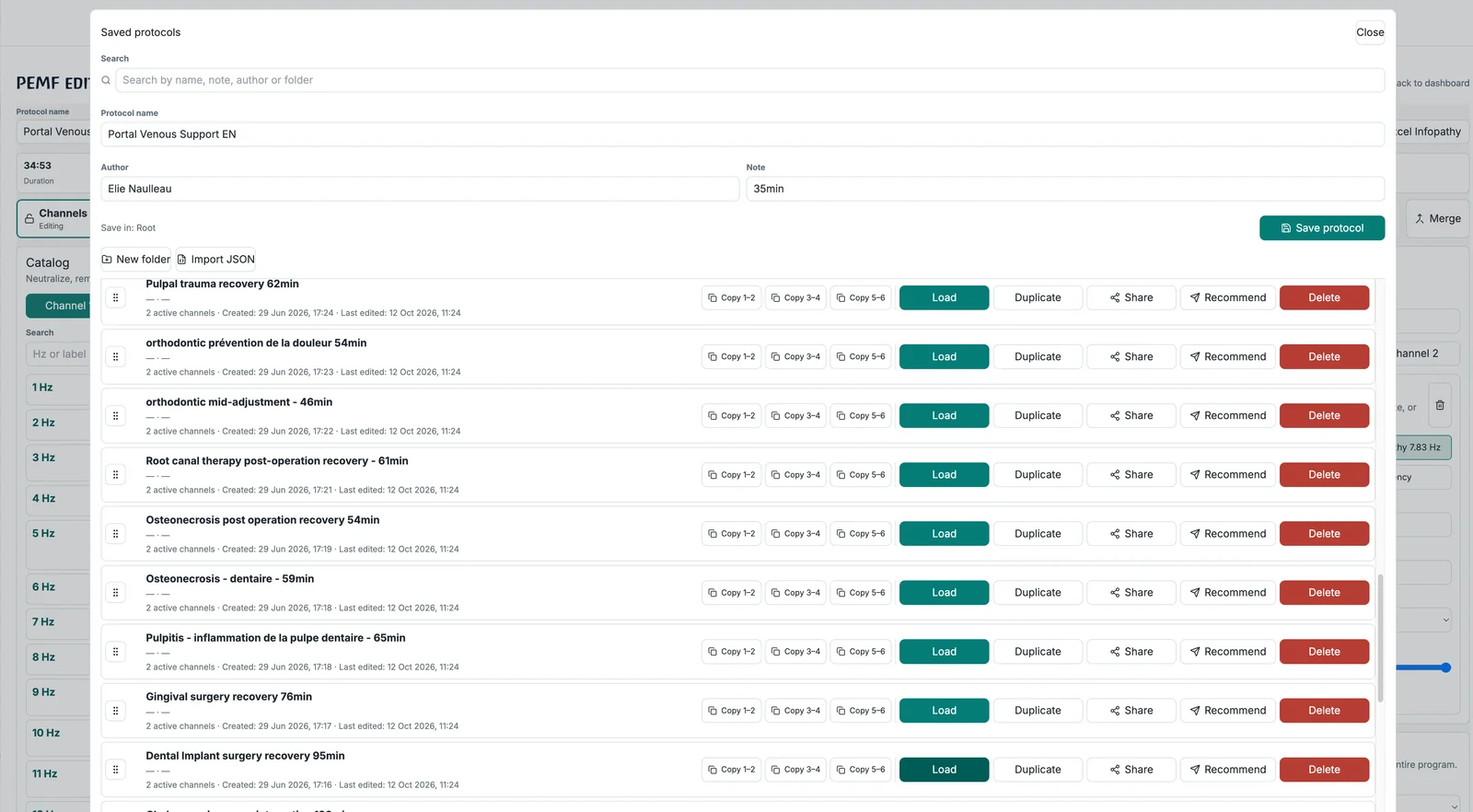
Each saved protocol retains its name, note, author, and complete program. The library lets you search for protocols, organize them into folders, duplicate them, and load them again. A specific pair can be copied from a saved protocol and pasted into the current program. Eligible users can also share an independent copy or recommend a snapshot through fsm.care.
Your protocols remain organized:
Search by name, note, author, or folder.
Folders and subfolders up to five levels deep, with drag-and-drop movement.
Loading, duplication, deletion, and batch JSON import with a summary of successes and failures.
An independently editable copy for another eligible Pro subscriber.
Recommendations to yourself or an eligible connected patient through fsm.care, with a message, expiry date, and optional frequency masking.
Discover the PEMF editor
The PEMF editor is available to practitioners with the required permissions and an active Pro subscription. Open the PEMF editor if your account is already eligible, or view Homeoceutics subscriptions to discover the tools included in the Pro plan.
FSM labels are catalog references. They do not constitute a diagnosis, prescription, or evidence of therapeutic efficacy. The editor is not a substitute for advice from a qualified professional.
Add, duplicate, delete, and reorder segments using a mouse, touch, or keyboard.
Multiple or global selection, with copy and paste into the active pair.
Positive duration in seconds, custom factor, half duration, or double duration.
Swap the two channels, clear a channel, and apply waveforms and gain in bulk.
Synchronized editing between the table and inspector.
Automatic detection of frequency pairs that require attention due to contraindications or precautions that must be taken.
Search the catalog by Hz value or label; custom values are also supported.
Value, meaning, gain, waveform, ramp, and ramp polarity.
A new sequence uses no more than one frequency per channel and per segment; legacy multi-frequency slots remain accessible.
Ramped square, square, sine, triangle, and sawtooth.
Sharp, mild, or gentle ramp; alternate, positive, or negative polarity depending on the waveform.
0 Hz to represent a silent channel without breaking an additional pair.
Track overlay, distinct colors for each channel, and an adaptive legend.
Pair-specific boundaries and visible silence after the end of a track.
Horizontal and vertical zoom, time position, Hz center, Y-axis maximum, and scale reset.
Play, pause, resume, stop, visible time progress, and volume.
Detailed trace information on hover and pair selection directly from the graph.
Stereo preview for stereo formats and a selectable downmix for multichannel formats.
Local history of the 100 most recent states of the current protocol.
Program, name, note, and author included in snapshots.
Inputs made within 220 ms are grouped; structural actions are atomic.
Cmd/Ctrl+Z, Cmd/Ctrl+Shift+Z, and Ctrl+Y shortcuts.
Buttons are always present and automatically disabled when no action is available.
A new change after Undo discards the obsolete redo branch.
Text fields retain their native undo behavior; shortcuts are suspended in modal windows.
A new import, New, or loading a protocol starts a clean history; saving preserves the history.
Selection, search, clipboard operations, zoom, playback, volume, and temporary WAV settings do not create a state.
Round-robin factorization from 1–2 to 3–4, 5–6, or both.
Full or partial inverse distribution back to 1–2 while preserving canonical order.
Merge runs of strictly compatible adjacent duplicates without changing the duration.
Preview segment counts and durations before confirmation.
Parameters, labels, and identifiers are preserved whenever possible.
Odd/even mixing or distribution of enabled channels across two halves.
Separate stereo, duplicated mono, and discrete C1-to-C6 outputs.
Silence is preserved for outputs reserved for disabled pairs or tracks that have already ended.
48 kHz or 44.1 kHz sample rate.
Pulse settings with period, rise time, starting intensity, and smoothing options.
Progressive block-based rendering with a progress indicator, within the limits of standard RIFF WAV.
Progressive writing through the browser file picker when available, with a download fallback.
Manual saving of protocols with a name, note, author, and complete JSON v3; visible saved/unsaved status.
Search, loading, duplication, deletion, and multiple JSON-file import.
Nested folders up to five levels deep, with renaming, remembered collapse/expand state, and drag and drop.
Deleting a folder moves its children up one level instead of losing them.
Copy a 1–2, 3–4, or 5–6 pair from a saved protocol.
Warning about unsaved changes before replacing the current program.
Share an independently hosted and editable copy with an eligible Pro subscriber.
Recommend an immutable snapshot, encrypted at rest, to yourself or an eligible connected patient.
A personal message of up to 1,000 characters, an inclusive expiry date, and optional frequency masking.
Stable updating of an existing recommendation when the same source is sent again.
Management and revocation from the sent recommendations area.
Native JSON v1, v2, and v3 on import; saving and export in v3.
PTL import and export, with simultaneous tracks and sequential alternatives.
WAV, Infopathy CSV and XLSX, and FTMMX export.
Detailed messages when the target format requires compatible waveforms, polarities, or channels.
Actions and formats are displayed according to the account permissions.
Validation of the version, mode, sample rate, and durations.
Verification of pair layout, frequencies, gains, waveforms, ramps, and polarities.
A frequency produces a signal only when both its Hz value and gain are greater than zero.
An enabled 3–4 or 5–6 pair must be consistent across both channels.
Playback, saving, and export remain blocked while an error makes the program invalid.
Accessible status feedback is provided after important operations.
Interface localized in French and English.
Keyboard controls, complete labels, tooltips, and status announcements.
The table remains usable on small screens through horizontal scrolling.
The pair being edited is clearly unlocked; the other tracks remain visible but protected.
Indicators for duration, segment count, validation, and saved state.
Channel A | Channel B | Contraindication or precaution |
|---|---|---|
58 Hz | Any frequency (*) | Do not use if an injury anywhere on the body occurred less than 6 weeks ago. |
40 Hz | Any frequency (*) | If the combination causes or increases pain, an infection may be present. Check for and treat the infection first. |
40 Hz | 10 Hz | Do not use in patients with lower-limb muscle cramps, severe tightness caused by myelopathy, or untreated infections. Use for total-body pain or spinal sensitization. |
40 Hz | 89 Hz | Do not use if the hypothalamus is performing its pain-suppression function. Use for central sensitization or thalamic pain. |
40 Hz | 116 Hz | Do not use if an infection is present anywhere in the body. |
284 Hz | 62 Hz | Do not use if an injury or bruise occurred less than 12 hours ago. |
13 Hz | Any frequency (*) | Do not use if an injury anywhere on the body occurred less than 6 weeks ago. |
* means any Channel B frequency.