What Is fsm.care? Your FSM/PEMF Protocols Within Easy Reach
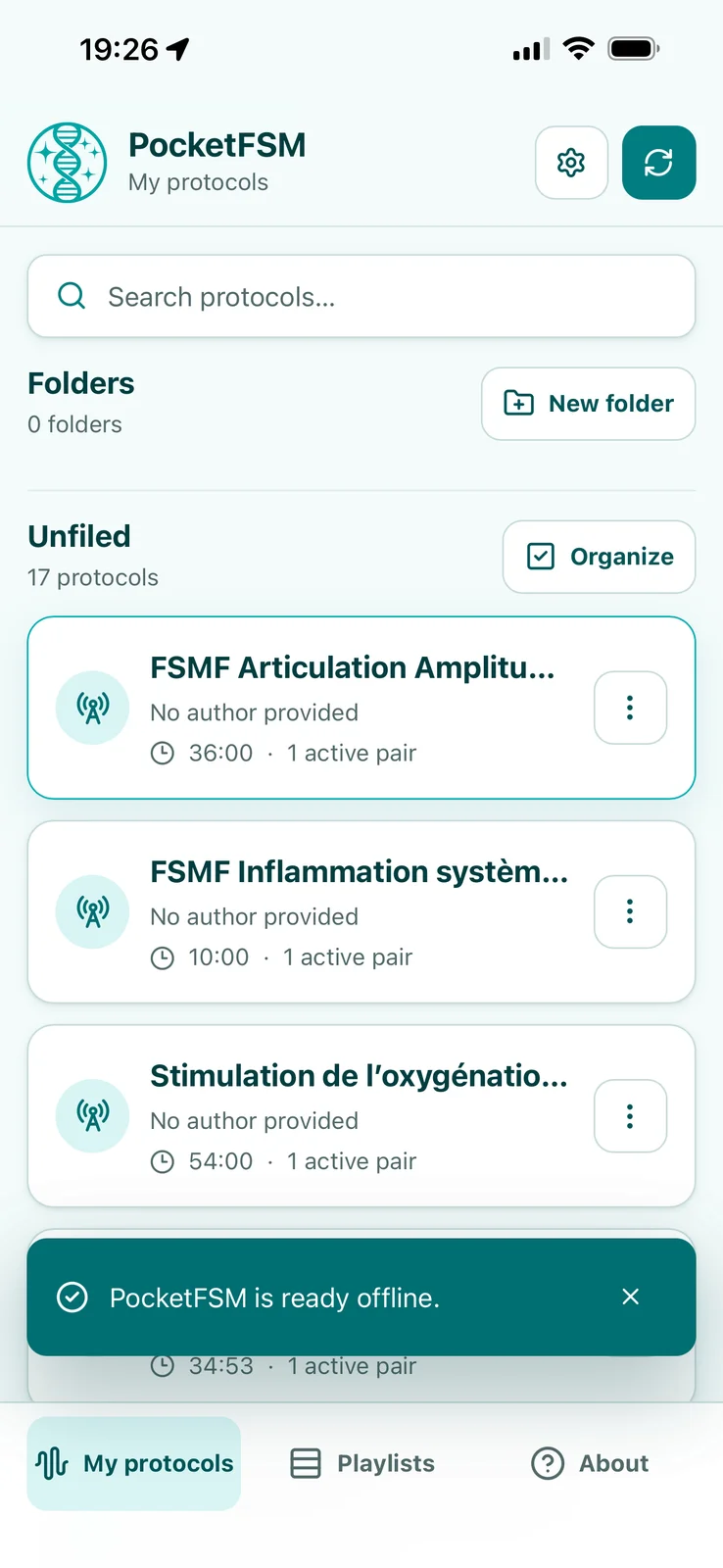
fsm.care (the PocketFSM app) lets you access and play FSM/PEMF protocols sent by your Homeoceutics practitioner on a phone, tablet or computer. It is a Progressive Web App that can be added to the home screen without an app store (via Safari on iOS, Chrome on Android). You need to accept your practitioner’s invitation and have a Homeoceutics account with an active Basic, Premium or Pro subscription. Internet is required for the first sign-in and synchronization; protocols can then be played offline, with periodic reconnection to renew access and receive updates. The signal is compatible with the Infopathy Glowing Pad and other 10–20 Ω PEMF coils, used according to equipment and practitioner instructions.
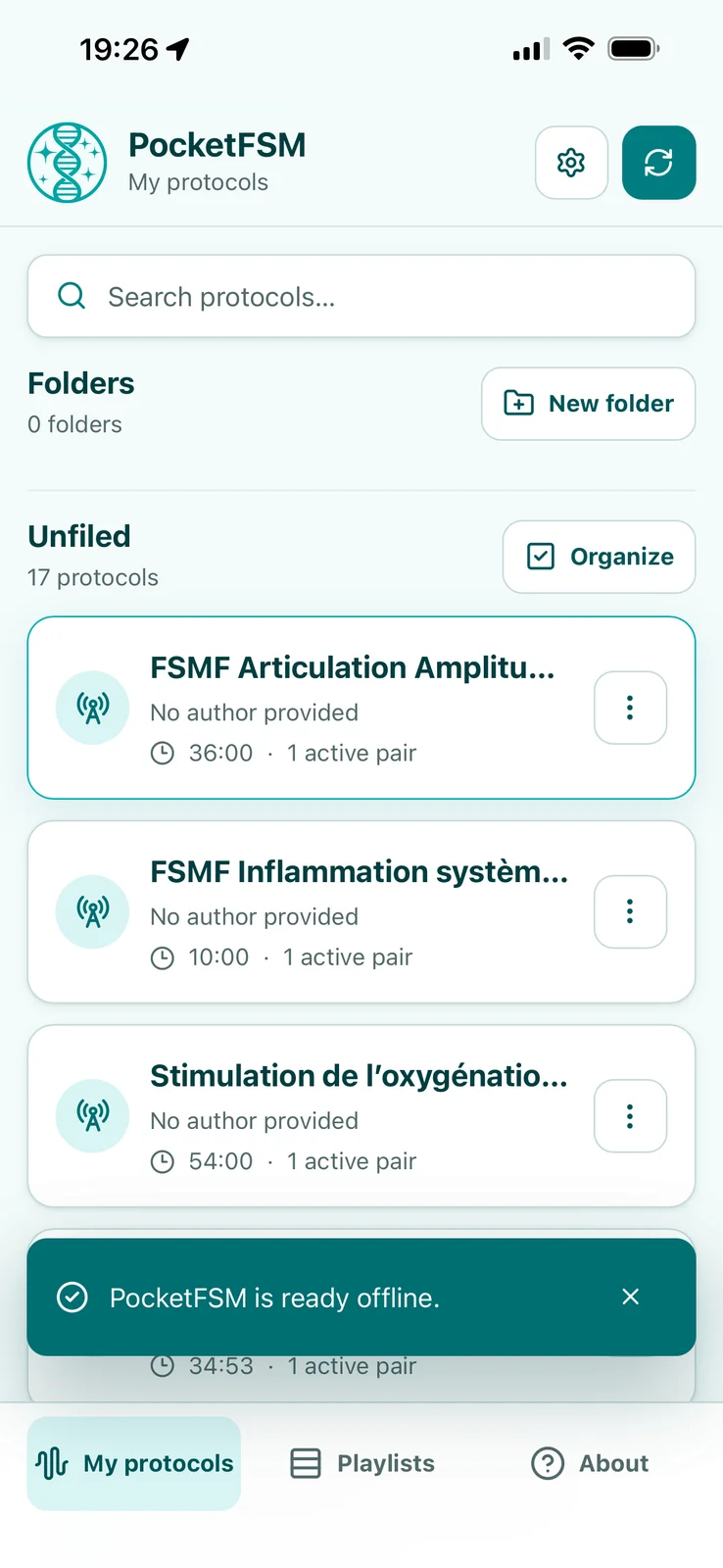
With fsm.care, you can access protocols sent by your Homeoceutics practitioner and play them from your phone, tablet, or computer—even offline after synchronization.
Available at fsm.care, the PocketFSM application brings the Homeoceutics environment to your everyday devices. Your practitioner prepares and sends a protocol, and you access it through an application dedicated to playback.
A web app you can add to your home screen
fsm.care is a PWA, or Progressive Web App. It opens in a browser and can be added to your device’s home screen without downloading it from an app store.
An icon then gives you convenient access:
On iPhone and iPad, open fsm.care in Safari, use the sharing menu, and choose the option to add it to your home screen. Enable opening as a web app if that option is offered. See Apple’s instructions.
On Android, open fsm.care in Chrome and use the installation option in the browser menu. See Chrome’s instructions.
On a computer, you can also use fsm.care directly in your browser.
Protocols sent by your practitioner
Your practitioner sends FSM/PEMF protocols to you through Homeoceutics. After synchronizing fsm.care, you can access the programs addressed to you without entering frequencies manually or rebuilding their sequences.
A Homeoceutics practitioner can invite you to establish a practitioner-patient connection on the platform. Once you have accepted the invitation and meet the access requirements, they can send you protocols.
Using fsm.care requires a Homeoceutics account with an active Basic, Premium, or Pro subscription. Your practitioner’s invitation establishes your connection with them; access to the application also depends on your subscription.
Playback without a network connection
An Internet connection is required for the first activation, so you can sign in with your Homeoceutics account and synchronize your protocols.
You can then play protocols already stored on your device without a network connection, while your access authorization and the relevant programs remain valid.
This makes the application convenient to use where Wi-Fi or mobile coverage is unavailable. Periodic reconnection is still required to renew access authorization, receive new protocols, and synchronize updates from your practitioner.
A signal compatible with the Glowing Pad and other coils
The signal generated by fsm.care is compatible with the Infopathy Glowing Pad, as well as other compatible 10–20 Ω PEMF coils, using a suitable connection.
Your phone or computer plays the program, and the connected device receives the signal. The coil, connection, and any adapters should be selected according to the equipment instructions and your practitioner’s guidance.
How to get started
Accept your practitioner’s invitation and check that your Homeoceutics subscription is active.
Open fsm.care and sign in with your Homeoceutics account.
Allow the application to finish synchronizing the protocols sent to you.
Add its icon to your home screen and use your compatible equipment according to the instructions provided.
fsm.care is a protocol playback tool. Its use does not replace medical advice or prescribed treatment.