
Practitioner profile, FSM attestation and FSMPro
Declare a practitioner activity, understand effective permissions and activate FSMPro when eligible.
Last updated: 13 October 2026
Objective
The Profile page stores two separate declarations: practitioner activity and, for a practitioner, a personal FSM-training attestation. “FSM-certified practitioner” wording that may appear in the interface refers to this user declaration; Homeoceutics neither verifies nor issues an external certification.
Permissions matrix
Situation | Effective permissions |
|---|---|
Free account or Pro plan without the declaration | Personal workflow only; practitioner tools remain hidden. |
Active Pro plan and saved practitioner declaration | Patients, Connections, Advice, Repertorizer and PEMF editor, subject to their other controls. |
Effective practitioner with an FSM-training attestation | Eligible for FSMPro; the one-time pack purchase is still required for the full FSMPro catalog. |
These profile declarations are not synchronized to fsm.care. Synchronization covers PocketFSM entitlement and snapshots of advised protocols that are still active.
Requirements
- Sign in to edit the profile.
- Have a real active Pro subscription for effective practitioner status, except for the administrator technical exception.
- Save the practitioner declaration before recording an FSM-training attestation.
- To purchase FSMPro, have an active Pro subscription plus saved practitioner and FSM-training declarations.
Steps
- Open Dashboard > Profile.
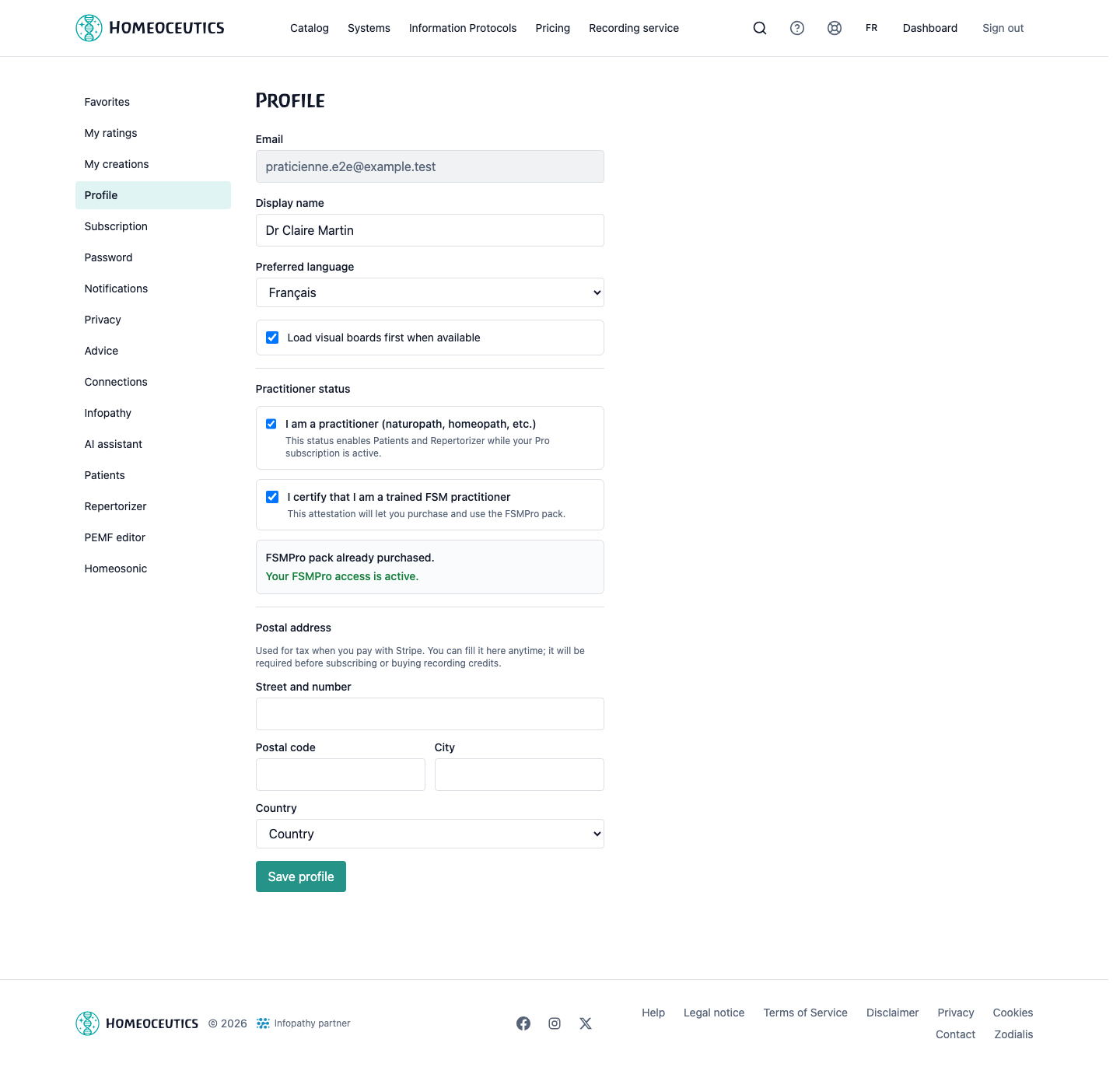
- Enable “I am a practitioner”, then save the profile.
- Check that the Pro subscription is active: temporary access or a Pro-looking interface does not by itself grant practitioner status.
- When it accurately describes your training, enable the FSM-training attestation and save again.
- Check that Patients, Connections, Advice, Repertorizer and PEMF editor are available.
- Once every condition is met, use the FSMPro action displayed in Profile and complete the one-time payment.
- After returning from payment, let the page confirm the active state. A suspended purchase remains in history but no longer unlocks the full catalog.
Tip
Save each declaration before looking for related tools; permissions are recalculated from the saved state.
Caution
The FSM attestation is a user declaration, not a certification verified or issued by Homeoceutics.
Images
Profile — practitioner, FSM-training and FSMPro status
- URL
- /help/en/profil-praticien-fsmpro.png
- Alternative text
- Profile page showing practitioner and FSM-training declarations together with FSMPro status, using fictional data.
- Note
- Uses a demonstration account and contains no personal data or price.
Common issues
- If the practitioner declaration is disabled, check that a real Pro subscription is active, then reload Profile.
- If the FSM attestation remains unavailable, save the practitioner declaration first.
- If practitioner menus do not appear after saving, refresh the session and check the subscription status.
- If the FSMPro payment remains pending, wait for Stripe confirmation before retrying.