
Basic subscription
Receive, send and revoke advice
Understand Advice received and given, snapshots, PEMF copies and synchronization.
Last updated: 10 October 2026
Objective
The Advice page brings together content received by a patient and a practitioner’s delivery history. It distinguishes two delivery modes with different guarantees.
Permissions and delivery matrix
| Workflow | Condition | Result |
|---|---|---|
| Patient — Advice received | Available connection and active paid subscription | Access to still-active content received from practitioners. |
| Practitioner — Advice given | Effective practitioner status and any required MFA check | Paginated history, statuses and revocation. |
| Advise | Self or eligible connected patient | Immutable snapshot, encrypted at rest and synchronizable to fsm.care for FSM/PEMF. |
| Share a PEMF copy | Active Pro recipient | Independent editable copy in the recipient library. |
Requirements
- To receive advice, have a patient account with an active Basic, Premium or Pro subscription.
- To send advice, have effective practitioner status and an available patient connection, except for self-advice.
- To share an editable PEMF copy, choose a recipient with an active Pro subscription.
Steps
- From an infoceutic, information sheet, informational or FSM protocol, visual board or PEMF template, choose Advise.
- Select an available connected patient or yourself when that choice is offered.
- For an FSM or PEMF protocol, optionally add a message of up to one thousand characters, an inclusive playback-expiry date and Hide frequencies. An FSMPro source can require masking.
- Confirm: the advice records an immutable snapshot. Advising the same source to the same recipient again replaces the active advice without a duplicate.
- The patient opens Dashboard > Advice > Advice received, browses pages of ten items and opens available content.
- The patient can remove one item from the list or revoke a practitioner; the latter revokes all active advice from that practitioner.
- The practitioner uses Advice given to review recipient, delivery mode, status, expiry and frequency masking.
- Revoking advice makes it unavailable and removes it from fsm.care on the next synchronization.
- For a shared PEMF copy, revocation deletes the initially delivered copy but cannot recall duplicates or files already exported.
Tip
Active, playback expired, revoked, recipient deleted and unavailable statuses explain why an older delivery can no longer be opened.
Caution
Revocation affects Homeoceutics-managed advice and its next synchronization; it does not delete a locally stored protocol or standalone export.
Images
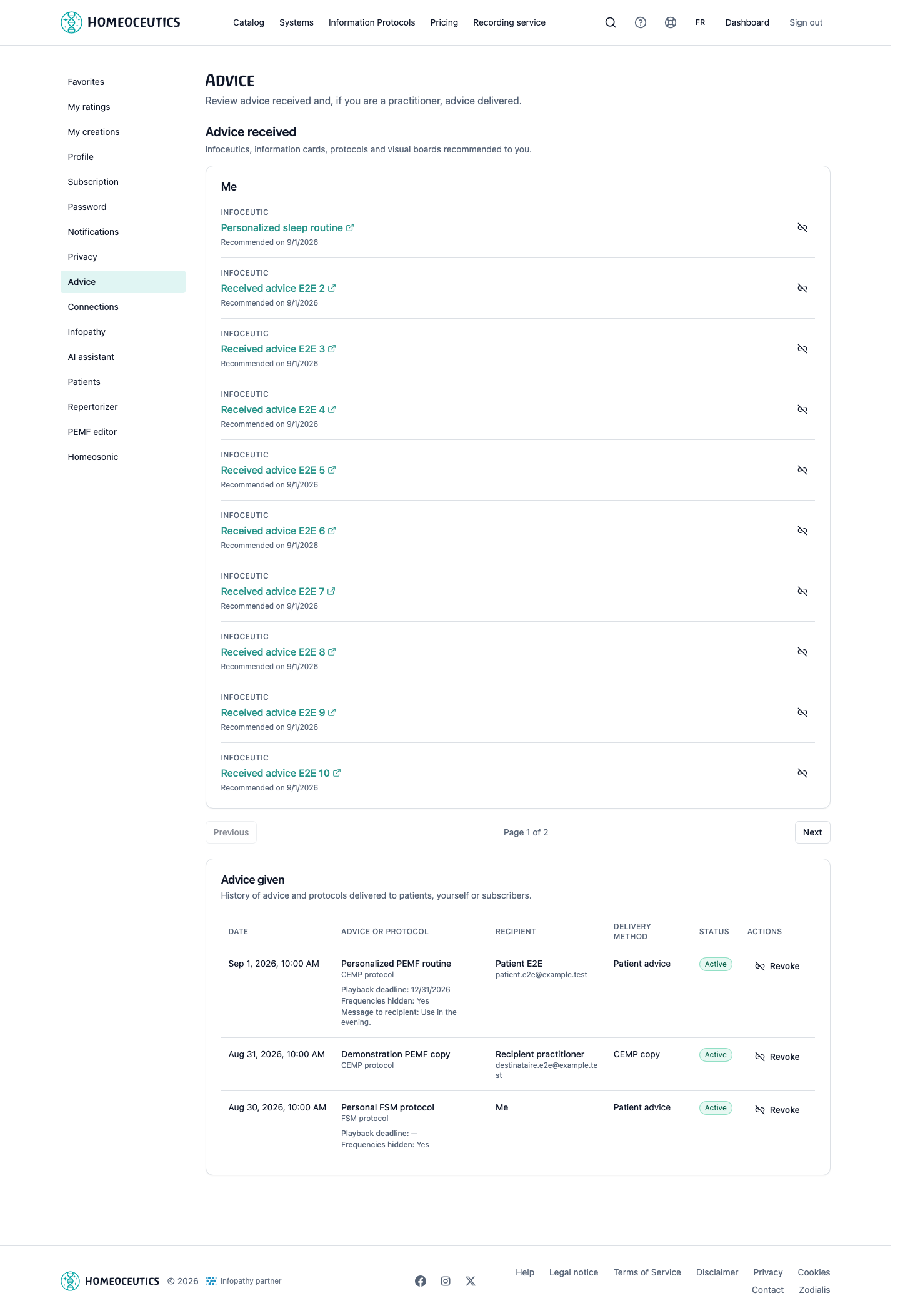
Advice received and given
- URL
- /help/en/conseils-praticien-patient.png
- Alternative text
- Advice received and Advice given pages populated with fictional data.
- Note
- Shows delivery modes and statuses without a real name or message.
Common issues
- If no patient is offered, check the connection and the patient account’s active subscription.
- If Advice given is hidden, check effective practitioner status and any required MFA control.
- If FSM or PEMF advice is absent from fsm.care, check its status and run PocketFSM synchronization again.
- When the expiry date is reached, the status becomes playback expired; the practitioner must send new advice to define another expiry.